
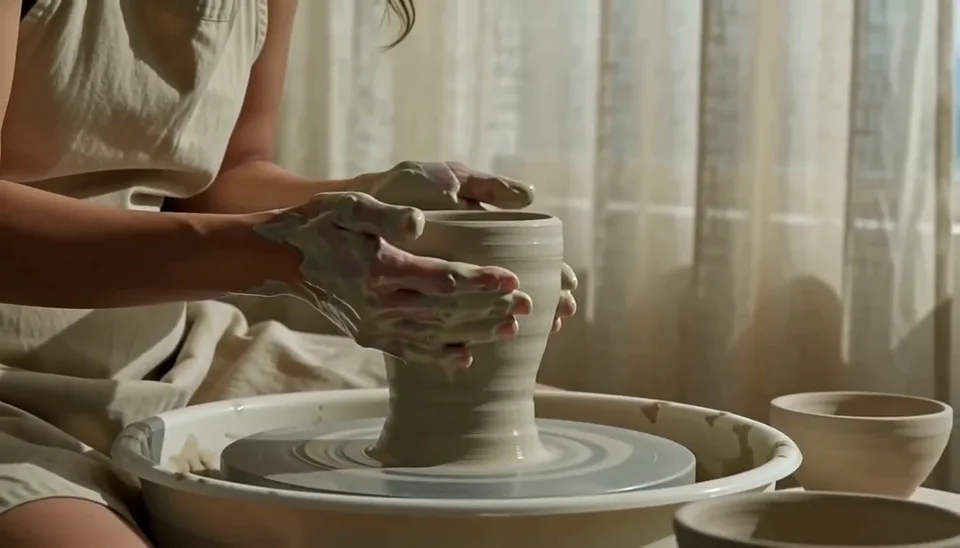
What is an AI video generator, and who is it for?
An AI video generator turns a written scene or an authorised reference image into moving footage. Teragrid Studio brings creative planning, model choice and saved projects into a chat workflow. Creators can plan social stories, artists can explore motion studies, and designers can develop campaign concepts; business teams can use the same process.
How does text-to-video work?
Start with a shot rather than an entire film: subject, action, setting, light and camera movement. Select a model that accepts text, choose a supported duration and aspect ratio, and review the brief. Generate a short test, inspect the result, then develop the next shot from an approved direction.
How do you turn an image into video?
Upload a photo or illustration you are authorised to use. Choose a compatible model and describe what should move, what should remain unchanged and how the camera should behave. A reference guides appearance but does not lock every pixel. Check faces, hands, logos and geometry before keeping the resulting clip.
How are reference images different from start and end frames?
Subject and style references help describe who or what appears in a shot. Start and end frames instead guide its opening and closing composition. Models support different input types and limits; several images do not guarantee continuity. Use the settings table to choose a compatible workflow, rather than assuming every model accepts the same references.
How much does a five-second AI video cost in Malaysia?
Read the live credit table below for the selected model and resolution. Its RM amounts are illustrative equivalents of the configured Starter monthly allowance, before SST, not individual video purchase prices. Some models have a six-second minimum; those rows show six seconds honestly. Review account eligibility and the current generation quote before proceeding.
How do you turn short clips into a finished film?
Plan and approve individual shots before assembling the sequence in Film Editor when your account includes it. Trim clips, check transitions and review sound against the narration. Model output is not a finished campaign by default: captions, factual claims, likeness permissions and brand details still need your attention before you export or publish.
Can generated clips preserve every detail of an artwork?
No model guarantees exact identity, printed text or complete stillness throughout a clip. For an artwork that must remain unchanged, consider a camera move over the original still in editing. For generated motion, use a restrained action, compare multiple frames and reject changes that conflict with the creative brief.
What can you make? Watch original Studio examples.
Original AI-generated films, with their documented settings. These are creative demonstrations, not customer results or promises of identical output.
Citrus burst
Cold refreshment. High-energy cuts.
- Model
- MiniMax H3 Max Turbo
- Requested settings
- 15s · 1080P · 16:9
- Actual file duration
- 15.08s
- Original credit quote
- 90 credits
- Current same-settings estimate
- 90 credits
Read the original generation prompt
Create a premium 15-second 1080p cinematic commercial with FOUR DISTINCT SHOTS and unmistakable HARD CUTS at approximately 3.5s, 7s and 11s. Each shot must visibly change framing and camera position. The SAME unbranded matte tangerine-orange slim beverage can with a plain silver top appears in a vivid orange-and-teal beverage commercial. No visible lettering. SHOT 1 (0–3.5s): Macro push-in toward condensation beads on the cold orange can as a hand pulls the silver tab open, realistic tiny droplets jump upward. HARD CUT. SHOT 2 (3.5–7s): Wide studio product shot of the same can rising through a small realistic splash of water with orange wedges tumbling around it in controlled high-speed motion. HARD CUT. SHOT 3 (7–11s): Close-up of sparkling amber liquid pouring into a clear glass of ice beside the same can; bubbles rise naturally and citrus peel twists in the foreground. HARD CUT. SHOT 4 (11–15s): Dynamic low camera orbit around the upright can and cold glass on teal stone, orange wedges settle, a fresh burst of mist behind; premium final product tableau. Premium film colour, physically plausible motion, purposeful camera movement, sharp hero subject, consistent identity and wardrobe/product design across cuts. Every shot contains real subject or environmental movement, not a still-photo zoom. No text, captions, logos, watermarks, split screen or collage. Finish with a strong complete composition.
First documented public release: 2026-10-20. Requested settings and actual file duration can differ. Silent showcase edition. Prompt wording does not guarantee every requested action appeared.
Urban runway
Streetwear with a cinematic pulse.
- Model
- MiniMax H3 Max Turbo
- Requested settings
- 15s · 1080P · 16:9
- Actual file duration
- 15.08s
- Original credit quote
- 90 credits
- Current same-settings estimate
- 90 credits
Read the original generation prompt
Create a premium 15-second 1080p cinematic commercial with FOUR DISTINCT SHOTS and unmistakable HARD CUTS at approximately 3.5s, 7s and 11s. Each shot must visibly change framing and camera position. The SAME adult Southeast Asian female fashion model with a neat dark bob wears the SAME cobalt blue tailored jacket, burnt-orange wide-leg trousers and white shoes at geometric concrete architecture after rain. SHOT 1 (0–3.5s): Wide forward tracking shot as the model strides confidently across a wet plaza toward camera, fabric moves naturally and reflections pass beneath her. HARD CUT. SHOT 2 (3.5–7s): Low close tracking shot of orange trouser legs and white shoes stepping over wet stone, blue jacket hem swinging above the frame. HARD CUT. SHOT 3 (7–11s): Medium side shot of the model turning around a concrete column and adjusting one jacket lapel while continuing to walk, soft morning sidelight. HARD CUT. SHOT 4 (11–15s): Wide moving orbit around the same model as she stops in a strong editorial pose between angular concrete walls; jacket flutters and sunlight breaks through. Premium film colour, physically plausible motion, purposeful camera movement, sharp hero subject, consistent identity and wardrobe/product design across cuts. Every shot contains real subject or environmental movement, not a still-photo zoom. No text, captions, logos, watermarks, split screen or collage. Finish with a strong complete composition.
First documented public release: 2026-10-20. Requested settings and actual file duration can differ. Silent showcase edition. Prompt wording does not guarantee every requested action appeared.
Midnight pursuit
A rain-soaked chase with real momentum.
- Model
- MiniMax H3 Max Turbo
- Requested settings
- 15s · 1080P · 16:9
- Actual file duration
- 15.08s
- Original credit quote
- 90 credits
- Current same-settings estimate
- 90 credits
Read the original generation prompt
Create a premium 15-second 1080p cinematic commercial with FOUR DISTINCT SHOTS and unmistakable HARD CUTS at approximately 3.5s, 7s and 11s. Each shot must visibly change framing and camera position. The SAME adult stunt rider in a black full-face helmet and dark jacket rides the SAME red sport motorcycle through a closed rain-soaked industrial movie set at night. SHOT 1 (0–3.5s): A wide low tracking shot follows the rider accelerating between rows of shipping containers, tires cutting through puddles, red taillight reflecting on wet ground. HARD CUT. SHOT 2 (3.5–7s): Low side tracking close-up of rider, hands, spinning wheels and water spray as the motorcycle leans through a controlled corner; strong parallax and physical forward motion. HARD CUT. SHOT 3 (7–11s): Front three-quarter tracking shot as the same rider races out of a tunnel, a distant practical fireball blooming safely behind on the closed stunt set, no impact or injury. HARD CUT. SHOT 4 (11–15s): A wide crane shot rises as the motorcycle sweeps across the dock toward the dawn skyline; road reflections streak past, a complete cinematic finish. Premium film colour, physically plausible motion, purposeful camera movement, sharp hero subject, consistent identity and wardrobe/product design across cuts. Every shot contains real subject or environmental movement, not a still-photo zoom. No text, captions, logos, watermarks, split screen or collage. Finish with a strong complete composition.
First documented public release: 2026-10-20. Requested settings and actual file duration can differ. Silent showcase edition. Prompt wording does not guarantee every requested action appeared.
Which settings and credit costs should you compare?
Live configured Studio rates. Illustrative RM values use Starter monthly RM69 divided by 500 monthly credits, before SST. These are allowance equivalents, not individual clip prices. Access depends on the account, plan and available credits.
Five-second examples are shown only when supported. A six-second minimum is labelled as six seconds. Rates and supported inputs differ by model.
| Model | Inputs | Resolution / quality tier | Example duration | Credit rate | Example credits | Indicative RM |
|---|---|---|---|---|---|---|
| MiniMax H3 Max Turbo · Lowest cost | Start and end frames | 480P | 5s | 2 / second | 10 | RM1.38 |
| FLUX 3 Max · Image to video | Start and end frames · required | 720p | 5s | 7 / second | 35 | RM4.83 |
| MiniMax Hailuo 2.3 Fast · Value | Up to 1 images · required | 768P | 6s | 3 / second | 18 | RM2.48 |
| Grok Imagine References · Value | Up to 6 images · required | 480p | 5s | 4 / second | 20 | RM2.76 |
| LTX 2.3 Fast · Value | Up to 1 images | 1080p | 6s | 5 / second | 30 | RM4.14 |
| Wan 3.0 | Up to 6 images | 480p | 5s | 4 / second | 20 | RM2.76 |
| Seedance 2.5 | Up to 30 images | 480p | 5s | 18 / second | 90 | RM12.42 |
| Kling 3 Pro | Up to 1 images | Pro | 5s | 15 / second | 75 | RM10.35 |
Questions, answered
Can I generate video in Malaysia without paying in US dollars?
Studio displays account credits and configured plan prices in MYR. The table explains an indicative RM allowance equivalent; it is not a live purchase offer. Review account eligibility, subscription details and available credits. Check eligibility and the current quote inside your account before generation.
Which model should a creator test first?
Choose by inputs, supported duration and budget rather than an unverified quality ranking. Compare the current MiniMax H3 Max Turbo, Kling 3 Pro, Seedance and Wan settings below. Keep the first test short and judge motion, identity and the amount of useful footage, including any retries.
Can I write instructions in Malay or Chinese?
You can describe the project in your preferred language and use the Malay or Chinese guide. The model’s response, generated lettering and spoken pronunciation still require review. Add titles and approved copy as editable text in the final edit when accurate wording matters.