
How can you turn a design direction into a shot brief?
Separate the fixed brand elements from the areas open to exploration. Record approved colour, product proportions, material, copy and logo usage. Then specify setting, lighting, framing and one motion. This makes it easier to review what a model changed and to explain a concept to a collaborator without pretending the generated output is a production-ready brand master.
How should you handle logos and typography?
Small text and packaging can change during generation. Start from authorised product references, inspect the resulting frames and add final wording as editable text where possible. Keep an original logo file for the edit instead of relying on a generated approximation. Recheck any legal copy, prices or claims with the project owner; this guide does not establish usage rights.
What can you assess in the campaign example?
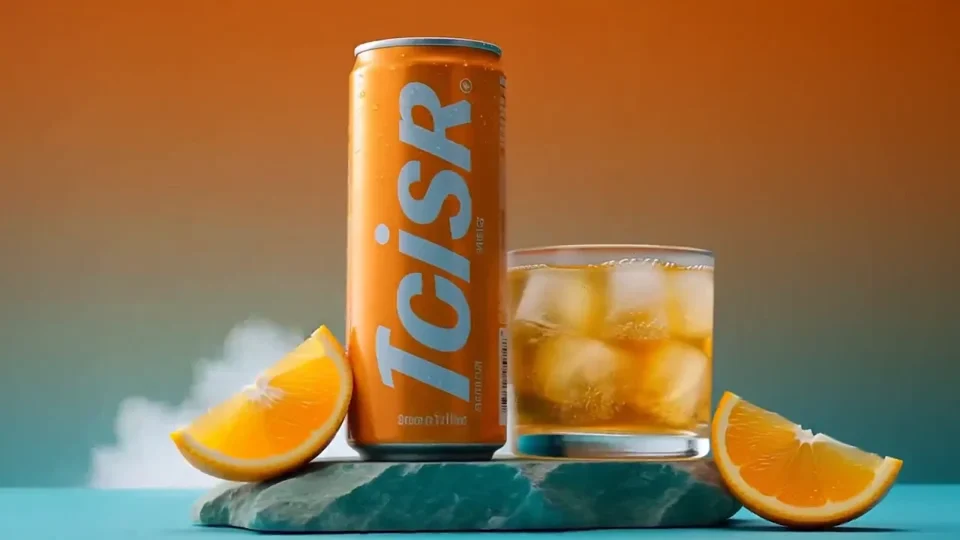
The citrus example below shows colour, condensation and product framing across a short film. Its original generation prompt is available for study, alongside the model and duration. Assess the visual direction and the actual frames rather than assuming the prompt guarantees a result. The associated standalone citrus artwork is a separate generation, not proof of an image-to-video match.
How do you present options without generating an entire campaign?
Approve a still direction and one motion test before expanding the sequence. Compare two controlled settings with the same brief, document the resolution and credits, and show the most useful differences to the reviewer. A small, intentional test is more informative than many unrelated outputs. Use the cost guide to plan that test within your account permissions and available credits.
What can you make? Watch original Studio examples.
Original AI-generated films, with their documented settings. These are creative demonstrations, not customer results or promises of identical output.
Citrus burst
Cold refreshment. High-energy cuts.
- Model
- MiniMax H3 Max Turbo
- Requested settings
- 15s · 1080P · 16:9
- Actual file duration
- 15.08s
- Original credit quote
- 90 credits
- Current same-settings estimate
- 90 credits
Read the original generation prompt
Create a premium 15-second 1080p cinematic commercial with FOUR DISTINCT SHOTS and unmistakable HARD CUTS at approximately 3.5s, 7s and 11s. Each shot must visibly change framing and camera position. The SAME unbranded matte tangerine-orange slim beverage can with a plain silver top appears in a vivid orange-and-teal beverage commercial. No visible lettering. SHOT 1 (0–3.5s): Macro push-in toward condensation beads on the cold orange can as a hand pulls the silver tab open, realistic tiny droplets jump upward. HARD CUT. SHOT 2 (3.5–7s): Wide studio product shot of the same can rising through a small realistic splash of water with orange wedges tumbling around it in controlled high-speed motion. HARD CUT. SHOT 3 (7–11s): Close-up of sparkling amber liquid pouring into a clear glass of ice beside the same can; bubbles rise naturally and citrus peel twists in the foreground. HARD CUT. SHOT 4 (11–15s): Dynamic low camera orbit around the upright can and cold glass on teal stone, orange wedges settle, a fresh burst of mist behind; premium final product tableau. Premium film colour, physically plausible motion, purposeful camera movement, sharp hero subject, consistent identity and wardrobe/product design across cuts. Every shot contains real subject or environmental movement, not a still-photo zoom. No text, captions, logos, watermarks, split screen or collage. Finish with a strong complete composition.
First documented public release: 2026-10-20. Requested settings and actual file duration can differ. Silent showcase edition. Prompt wording does not guarantee every requested action appeared.
Questions, answered
Is this available to every visitor?
Generation requires an eligible account, plan access and sufficient credits. Eligible accounts can use supported workflows within their plan and credit limits. The examples are original Studio work, not customer testimonials or a promise of identical results.