
How can a creator plan a short video?
Begin with the moment you want viewers to understand. For a behind-the-scenes story, that might be a maker shaping an object, a reveal of the finished piece and a final invitation to learn more. Write one action per shot. Choose the delivery format before generation so that the framing leaves room for captions and a clear focal subject.
What does a repeatable creator workflow look like?
Use the chat to shape a brief, then approve the direction and credit estimate. Generate one short shot and judge it before continuing. Keep the same reference set and visual description across related shots. Assemble approved footage in Film Editor if your account includes it; add narration, captions and final text as separate editable elements rather than asking the video model to print every word.
What can you learn from the original example?
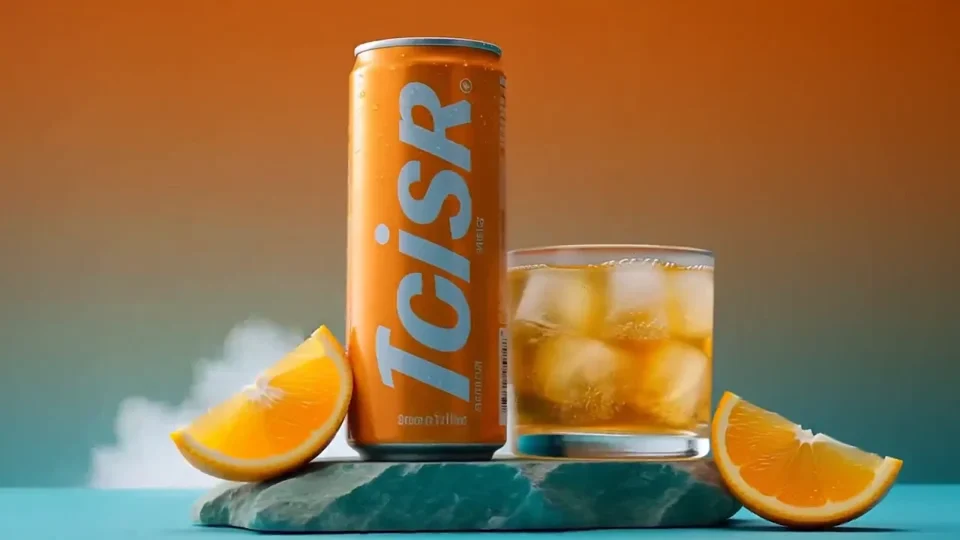
The citrus film below uses several views of one fictional drink campaign. Watch whether the product remains recognisable, whether each cut adds something and whether the final frame resolves the idea. This is a generated creative example, not evidence of engagement, sales or a client campaign. Its recorded settings and current credit estimate are shown so that you can budget a comparable test.
How should you budget a first attempt?
Decide what you will learn from a single clip: camera movement, product identity or the opening hook. Use a supported short duration and reserve room for a retry. The model table derives credit examples from current Studio rates. RM equivalents explain the configured Starter allowance, not a standalone price or a promise that every account can purchase today.
What can you make? Watch original Studio examples.
Original AI-generated films, with their documented settings. These are creative demonstrations, not customer results or promises of identical output.
Citrus burst
Cold refreshment. High-energy cuts.
- Model
- MiniMax H3 Max Turbo
- Requested settings
- 15s · 1080P · 16:9
- Actual file duration
- 15.08s
- Original credit quote
- 90 credits
- Current same-settings estimate
- 90 credits
Read the original generation prompt
Create a premium 15-second 1080p cinematic commercial with FOUR DISTINCT SHOTS and unmistakable HARD CUTS at approximately 3.5s, 7s and 11s. Each shot must visibly change framing and camera position. The SAME unbranded matte tangerine-orange slim beverage can with a plain silver top appears in a vivid orange-and-teal beverage commercial. No visible lettering. SHOT 1 (0–3.5s): Macro push-in toward condensation beads on the cold orange can as a hand pulls the silver tab open, realistic tiny droplets jump upward. HARD CUT. SHOT 2 (3.5–7s): Wide studio product shot of the same can rising through a small realistic splash of water with orange wedges tumbling around it in controlled high-speed motion. HARD CUT. SHOT 3 (7–11s): Close-up of sparkling amber liquid pouring into a clear glass of ice beside the same can; bubbles rise naturally and citrus peel twists in the foreground. HARD CUT. SHOT 4 (11–15s): Dynamic low camera orbit around the upright can and cold glass on teal stone, orange wedges settle, a fresh burst of mist behind; premium final product tableau. Premium film colour, physically plausible motion, purposeful camera movement, sharp hero subject, consistent identity and wardrobe/product design across cuts. Every shot contains real subject or environmental movement, not a still-photo zoom. No text, captions, logos, watermarks, split screen or collage. Finish with a strong complete composition.
First documented public release: 2026-10-20. Requested settings and actual file duration can differ. Silent showcase edition. Prompt wording does not guarantee every requested action appeared.
Questions, answered
Is this available to every visitor?
Generation requires an eligible account, plan access and sufficient credits. Eligible accounts can use supported workflows within their plan and credit limits. The examples are original Studio work, not customer testimonials or a promise of identical results.